A Stress-free Way to Finally Organize Your Paperwork
I was staring at my kitchen island last Tuesday, buried under a mountain of utility bills, school permission slips, and those endless medical receipts, when I realized I had officially hit a breaking point. It’s that specific, heavy feeling in your chest when you know exactly how to organize paperwork in theory, but the actual task feels like trying to climb Everest in flip-flops. We’ve all been there—standing in the middle of a room, surrounded by paper scraps, wondering why we can’t just find the one thing we actually need without digging through a literal landslide of junk.
I’m not here to sell you on some expensive, color-coded filing system that requires a degree in interior design to maintain. My approach is much simpler: we are going to use minimalist functionalism to reclaim your counters and your sanity. I’m going to walk you through the exact, no-nonsense methods I use to manage my own freelance chaos, focusing on small, actionable wins that actually stick. Let’s stop overcomplicating the process and just get this sorted once and for all.
Table of Contents
Quick Paperwork Decluttering Tips for Busy Homes
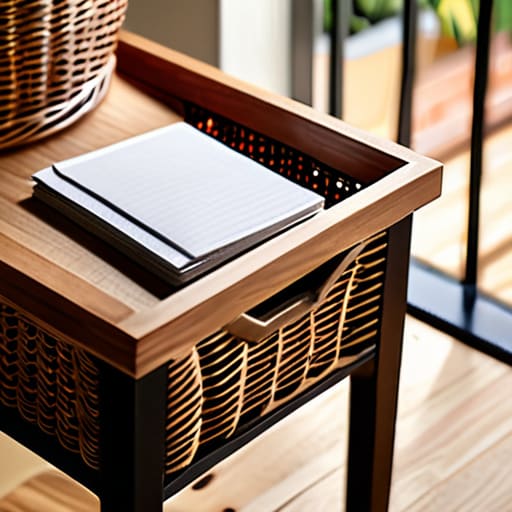
If you’re anything like me, you don’t have a four-hour block of silence to dedicate to a massive overhaul. You have fifteen minutes between school pickup and dinner. Start with the “one-touch” rule: when a piece of mail hits the counter, don’t just move it to a different pile. Either shred it, act on it, or file it immediately. For those of us juggling hectic schedules, the best paperwork decluttering tips involve creating a “landing strip”—a single, designated basket near the entryway. This prevents the dreaded “paper creep” where receipts and flyers slowly colonize your dining table.
Once you’ve cleared the surface chaos, focus on sorting important documents into three distinct categories: Action Required, Keep for Records, and Trash. Don’t get bogged down in the weeds of a complex filing cabinet organization system right away; just get the essentials into labeled folders. If a document is purely for reference, like an old manual, consider digital document scanning to save physical space. It’s much easier to search a PDF on your phone than to dig through a dusty drawer when you’re in a rush.
Sorting Important Documents Without the Overwhelming Mess
Once you’ve cleared the surface clutter, it’s time to face the real beast: the actual contents of those piles. When I first started sorting important documents, I tried to do it all in one sitting. Big mistake. You’ll end up staring at a stack of old utility bills and a birth certificate, feeling completely paralyzed. Instead, grab a few sturdy bins or even just some manila folders and tackle one category at a time. Start with the “must-keeps”—things like property deeds, tax returns, and medical records—and move them into a dedicated spot immediately.
For everything else, I’ve found that a hybrid approach works best to keep the mental load low. If you have a stack of receipts or manuals that take up too much physical space, look into digital document scanning. I use a simple app on my phone to snap photos of things I might need for reference, then I toss the paper. It keeps the drawers from overflowing and ensures you aren’t hunting through a mountain of paper when you actually need a specific piece of info. Just take it one folder at a time.
5 Low-Stress Ways to Keep the Paperwork from Coming Back
- Pick a “landing zone” near the entryway. Instead of letting mail migrate from the kitchen counter to the dining table, give it one specific basket. If it’s not worth filing or acting on immediately, it goes in the bin right then and there.
- Go digital where you actually can. I’ve started scanning my utility bills and insurance policies into a secure cloud folder. It saves so much physical space, and honestly, being able to search for a PDF is a lot faster than digging through a manila folder.
- Use the “One-Touch” rule for incoming mail. When you bring the mail in, don’t just set it down to deal with “later.” Open it, toss the junk, pay the bill, or file the important stuff immediately. If you touch it once, it doesn’t become a pile.
- Color-code your folders by life category. I use blue for medical, green for finances, and red for urgent house repairs. It sounds a bit extra, but when you’re looking for a specific dental record in a hurry, your brain will thank you for the visual cue.
- Schedule a monthly “Paperwork Reset.” Set a recurring 15-minute timer on the first Sunday of every month to go through your active files. It’s much easier to maintain a system in small bursts than to face a mountain of clutter once a year.
The Bottom Line: Three Ways to Keep the Chaos at Bay
Don’t aim for perfection on day one; just focus on getting the loose scraps off your counters and into a single, manageable pile so you can breathe again.
Categorize by necessity, not by “what if”—if you haven’t looked at a piece of paper in three years and it isn’t a legal requirement, it’s probably just clutter.
Set up a “one-touch” system for new mail immediately, because letting it sit on the dining table is exactly how these piles start growing in the first place.
Reclaim Your Peace of Mind
At the end of the day, organizing your paperwork isn’t about achieving some Pinterest-perfect aesthetic; it’s about reclaiming the mental energy you’ve been wasting on “where is that receipt?” or “did I file that tax form?” We’ve covered how to aggressively declutter the junk, how to categorize the essentials, and how to set up a system that actually works for your specific lifestyle. Remember, the goal isn’t to spend your entire weekend hunched over a shredder, but to create a sustainable rhythm where every important document has a designated home. Once you have those folders labeled and that shredder running, you’ll realize that order is much easier to maintain than it is to create from scratch.
If you’re feeling a bit overwhelmed looking at that stack on the counter, just take a breath and start with one single pile. You don’t have to conquer the whole filing cabinet by sunset. I’ve learned through years of managing both chaotic projects and a busy household that progress beats perfection every single time. Take it one folder at a time, and before you know it, that heavy weight on your shoulders will start to lift. You’ve got this—now go grab a coffee, pick one drawer, and just get it done.
Frequently Asked Questions
What exactly do I need to keep forever, and what can I safely toss in the shredder?
Look, I know the “keep or toss” dilemma can feel paralyzing, but let’s simplify it. Keep the heavy hitters: birth certificates, social security cards, property deeds, and tax returns from the last seven years. Everything else? If it’s a utility bill from 2019 or an expired warranty, it’s gone. If you haven’t looked at it in a year and it isn’t a legal or medical necessity, grab the shredder and let it go.
How often should I actually sit down to update these files so they don't just become another pile?
Don’t try to make this a daily chore; you’ll burn out by Tuesday. I swear by the “Monthly Reset.” Set aside twenty minutes on the last Sunday of every month to process whatever landed on your counters. If that feels like too much, do a quick ten-minute sweep every Friday afternoon before you transition into weekend mode. The goal isn’t perfection; it’s just making sure the pile never has a chance to grow legs.
Is it better to go fully digital with everything, or should I keep a physical backup of my most important stuff?
Look, I’m all for the efficiency of digital, but don’t go throwing away your birth certificate just because you have a cloud subscription. My rule of thumb? Go digital for the day-to-day—bills, receipts, and manuals—to keep those counters clear. But for the “life-altering” stuff like deeds, wills, and social security cards, keep a physical backup in a fireproof box. It’s about having a fail-safe when the Wi-Fi (or the power) inevitably goes down.