A Beginner’s Guide to Starting Your Smart Home Journey
Look, if you think building a smart home means you need to spend five figures on a futuristic command center and spend your entire Saturday troubleshooting why your toaster won’t talk to your fridge, you can stop right now. Most of the tech hype out there is just noise designed to separate you from your hard-earned money. I’ve spent enough time managing complex projects to know when a solution is actually solving a problem and when it’s just creating more work. When it comes to a smart home for beginners, you don’t need a sci-fi movie set; you just need things that actually work when you’re tired, carrying groceries, or trying to manage a chaotic Tuesday.
I’m not here to sell you on every shiny new gadget on the market. Instead, I’m going to give you the no-nonsense roadmap to automating the small, annoying tasks that clutter your mental load. We’re going to focus on practical, scalable wins—the kind that turn a house that fights you into a home that supports you. No fluff, no unnecessary complexity, just the essential tools to help you reclaim your time and your sanity.
Table of Contents
Picking Your Best Smart Devices for Beginners Without the Headache

The biggest mistake I see people make is buying a bunch of cool gadgets that don’t actually talk to each other. You end up with five different apps on your phone just to dim the lights and lock the door, which is the exact opposite of reducing your mental load. Before you spend a dime, you need to look at a smart home ecosystem comparison to decide if you’re a Google, Alexa, or Apple person. This is about voice assistant compatibility above all else; if your smart plug won’t listen to the same device that controls your thermostat, you’ve just created a new chore for yourself.
Once you’ve picked your “brain,” start small with the best smart devices for beginners—think lighting, plugs, or a video doorbell. I always tell my clients to focus on things that solve a recurring frustration. If you’re constantly checking if you left the porch light on, get a smart bulb. If you’re tired of walking into a dark hallway, get a motion sensor. Don’t worry about a full-blown automation overhaul on day one; just aim for one small win that makes your evening routine feel a little more seamless.
Setting Up a Smart Home Hub to End the Chaos

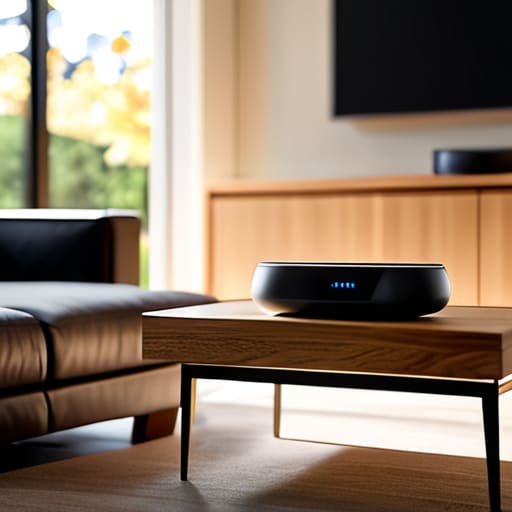
Think of a smart home hub as the central nervous system of your house. Without one, you’re just a person with a dozen different apps on your phone, frantically tapping screens just to dim the lights or check the front door. When I first started tinkering with my own setup, I felt like I was managing five different mini-projects instead of one cohesive home. To avoid that mental clutter, you need to decide on a single platform that will act as the brain for everything else.
Before you buy anything else, do a quick smart home ecosystem comparison between the big players like Amazon Alexa, Google Home, or Apple HomeKit. The goal isn’t to own the most expensive tech; it’s to ensure voice assistant compatibility across every gadget you bring through the door. Once you’ve picked your “brain,” setting up a smart home hub becomes much less intimidating. It’s the difference between a pile of mismatched tools and a well-organized workbench—it just makes everything flow better.
Five Low-Stress Rules for a Smart Home That Actually Works

- Don’t buy everything at once. It’s tempting to go to the big-box store and grab every gadget on the shelf, but that’s a fast track to a digital headache. Start with one room—maybe the kitchen or the entryway—and see how those devices actually fit into your daily rhythm before you commit to a whole-house overhaul.
- Stick to one ecosystem. I’ve learned the hard way that having three different apps just to turn off the lights is a recipe for frustration. Whether you land on Alexa, Google, or Apple, try to keep your devices within that same family so you aren’t constantly juggling different interfaces.
- Prioritize things that solve a real problem. A smart toaster is a novelty, but a smart thermostat that actually learns when you’re home or a leak detector under the sink? Those are game-changers. Ask yourself: “Does this gadget actually reduce my mental load, or is it just more noise?”
- Check your Wi-Fi strength before you plug anything in. There is nothing more annoying than a “smart” lightbulb that stays offline because your router can’t reach the hallway. If your signal is spotty in certain corners of the house, grab a range extender before you start adding more devices to the network.
- Always keep a manual backup. I love my smart locks, but I never want to be locked out of my own house because the internet went down or a battery died. Make sure every “smart” upgrade you install still has a way to be operated by hand. Technology should serve you, not hold your home hostage.
Three Things to Remember Before You Buy Anything
Don’t try to automate your entire life in one weekend; pick one specific annoyance—like fumbling for light switches in the dark—and solve that first.
Stick to one ecosystem (like Alexa or Google Home) to avoid having twenty different apps cluttering up your phone and your brain.
Always prioritize devices that actually make your day easier, not just gadgets that look cool but end up becoming another chore to manage.
Small Wins, Big Results

Look, I didn’t come into this wanting to spend my weekends troubleshooting Wi-Fi signals or reading fifty-page manuals. The goal here isn’t to turn your house into some sci-fi movie set; it’s about picking the right devices, starting with a solid hub, and making sure everything actually talks to each other. If you focus on the basics—lighting, temperature, and security—you’ll see an immediate drop in that daily mental clutter. Remember, you don’t need to buy every gadget on the market at once. Just pick one pain point in your routine, solve it with one smart device, and build from there when you’re ready.
At the end of the day, your home should work for you, not the other way around. Technology should be the invisible hand that smooths out the rough edges of a busy life, giving you back those precious minutes you usually spend fumbling for keys or checking if the back door is locked. Don’t let the fear of a complicated setup stop you from making your life easier. Take it one step at a time, keep your notebook handy for those little adjustments, and just get it done. You’ve got this, and your future, more relaxed self will definitely thank you.
Frequently Asked Questions
Do I really need to buy everything at once, or can I just start with one room?
Please, do not feel like you have to buy the whole catalog on day one. That’s a one-way ticket to decision fatigue and a cluttered junk drawer. I always tell my clients: start small. Pick one room—usually the kitchen or the bedroom—and master it. Once you’ve figured out how one smart bulb or plug actually fits into your routine, the rest of the house will follow naturally. One win at a time.
Will all these different gadgets actually talk to each other, or am I just creating more tech clutter?
That is the million-dollar question, isn’t it? I’ve seen enough “smart” gadgets turn into expensive paperweights to know the frustration. The short answer: they will, but only if you check for “compatibility” before you tap that buy button. Look for labels like “Matter” or “Works with Google/Alexa.” If they don’t speak the same language, you aren’t building a system; you’re just collecting digital clutter. Stick to one ecosystem to keep things seamless.
How much is this actually going to mess with my monthly budget and my privacy?
Look, I get it. The last thing I need is a “smart” home that’s actually just a drain on my bank account or an intruder in my living room. Start small—one or two plugs or a single bulb—to keep the costs low. Don’t buy the whole catalog at once. As for privacy, stick to the big names, use two-factor authentication, and if a device feels “too” hungry for data, don’t buy it. Keep it simple and keep it secure.